QA WorkspaceProfessional manual QA execution in your browser sidebar
QA Workspace is a free Chrome extension for manual testers. Import test cases, execute step-by-step in the side panel, capture screenshots, track defects, and export reports — without sending data to the cloud.
Side-panel native
Built for the Chrome side panel API
Excel & CSV ready
Drop your existing test suites in seconds
Polished reports
Export PDF, Excel, or CSV in one click
100% offline
No cloud, no telemetry, no AI
What QA Workspace does
Five things this extension nails
Switch between capabilities to see what you get when you pin QA Workspace to your Chrome side panel.
Execute
Drive runs from the side panel with shortcuts, status, notes, and defects.
Execution runner
Step-by-step runner with autosave, timer, status marking, and quick notes per step.
Kanban board
Drag-and-drop test cases between Pending / In progress / Passed / Failed / Blocked lanes.
Keyboard shortcuts
Alt+N / Alt+P navigation, Alt+1–4 for status, Alt+S screenshot, Alt+M defect — fully customizable.
Defect tracking
Log defects with severity, priority, environment, and links back to failed steps.
Repros
Save reproduction recipes — steps, payloads, environment — and link them to defects.
Task tracking
Track retests, go-live milestones, and today’s work. Suggestions appear when defects are ready to verify.
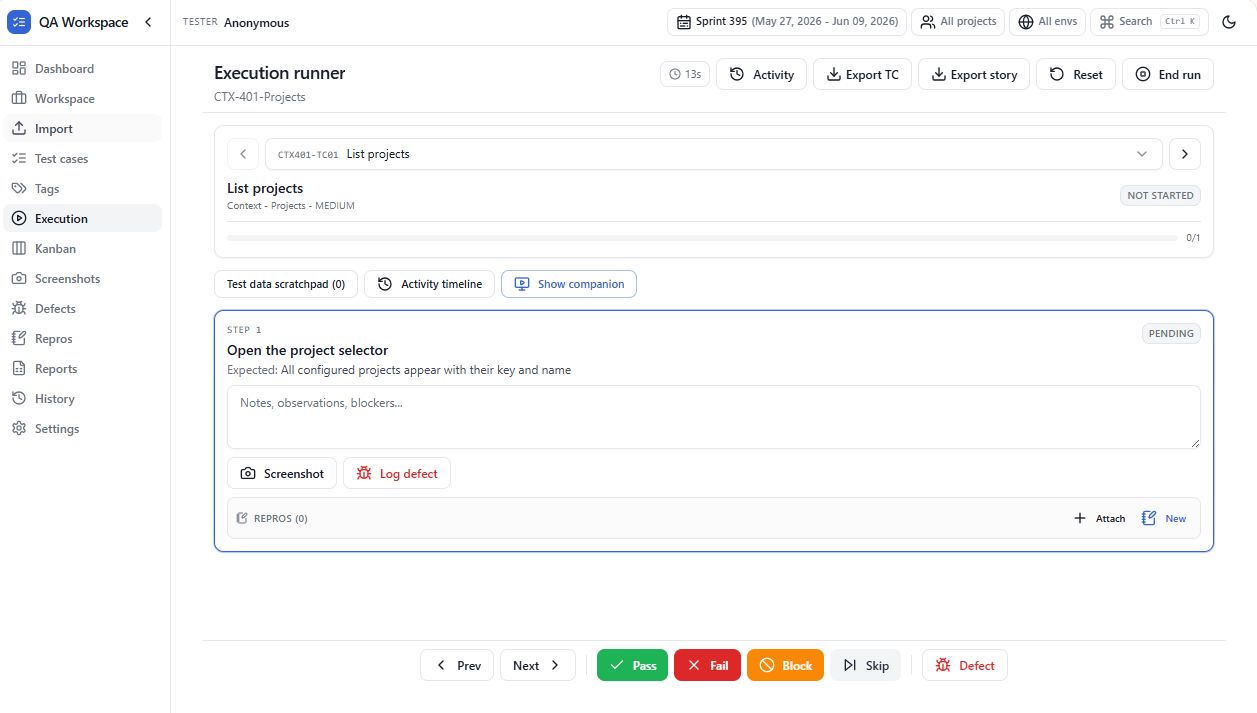
Execution runner
Step-by-step execution with timer and shortcuts.
Capabilities
Everything you need for manual QA
Built for testers and SDETs who work in the browser.
Side panel workspace
Run QA Workspace alongside any tab using the Chrome side panel — no extra window juggling.
Learn more →Screenshot capture
Capture the active tab and attach screenshots to the current step with optional caption.
Learn more →Screenshot annotator
Arrows, rectangles, pen, highlighter, text, and PII blur — with Snipping Tool style cursors.
Learn more →Companion overlay
Floating companion to mark Pass / Fail / Blocked / Skip without leaving the page under test.
Learn more →Excel & CSV import
Drag-and-drop test cases from .xlsx or .csv with column validation and a pre-import preview.
Learn more →Test case management
Stories, modules, search, filters, favorites, and expandable steps in one tidy list.
Learn more →Workflow
How it works
- 01
Import test cases
Upload Excel or CSV with TC_ID, Module, Title, steps, and expected results.
- 02
Execute in the side panel
Run through steps, mark Pass / Fail / Blocked / Skip, and add notes as you test.
- 03
Capture evidence
Attach screenshots from the active tab and log defects linked to steps.
- 04
Export reports
Generate PDF, Excel, or CSV execution reports for stakeholders.
Inside the workspace
Screenshots
See QA Workspace in action.
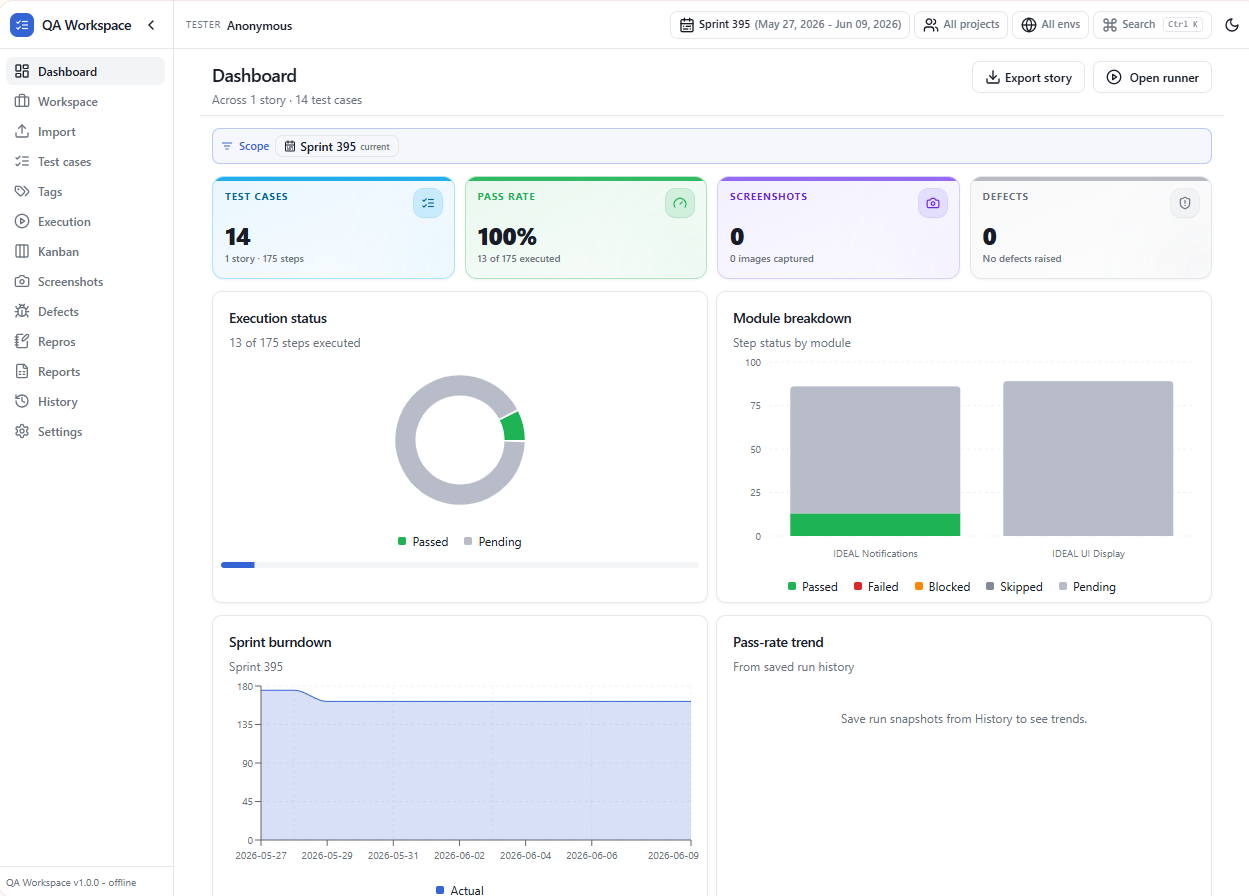
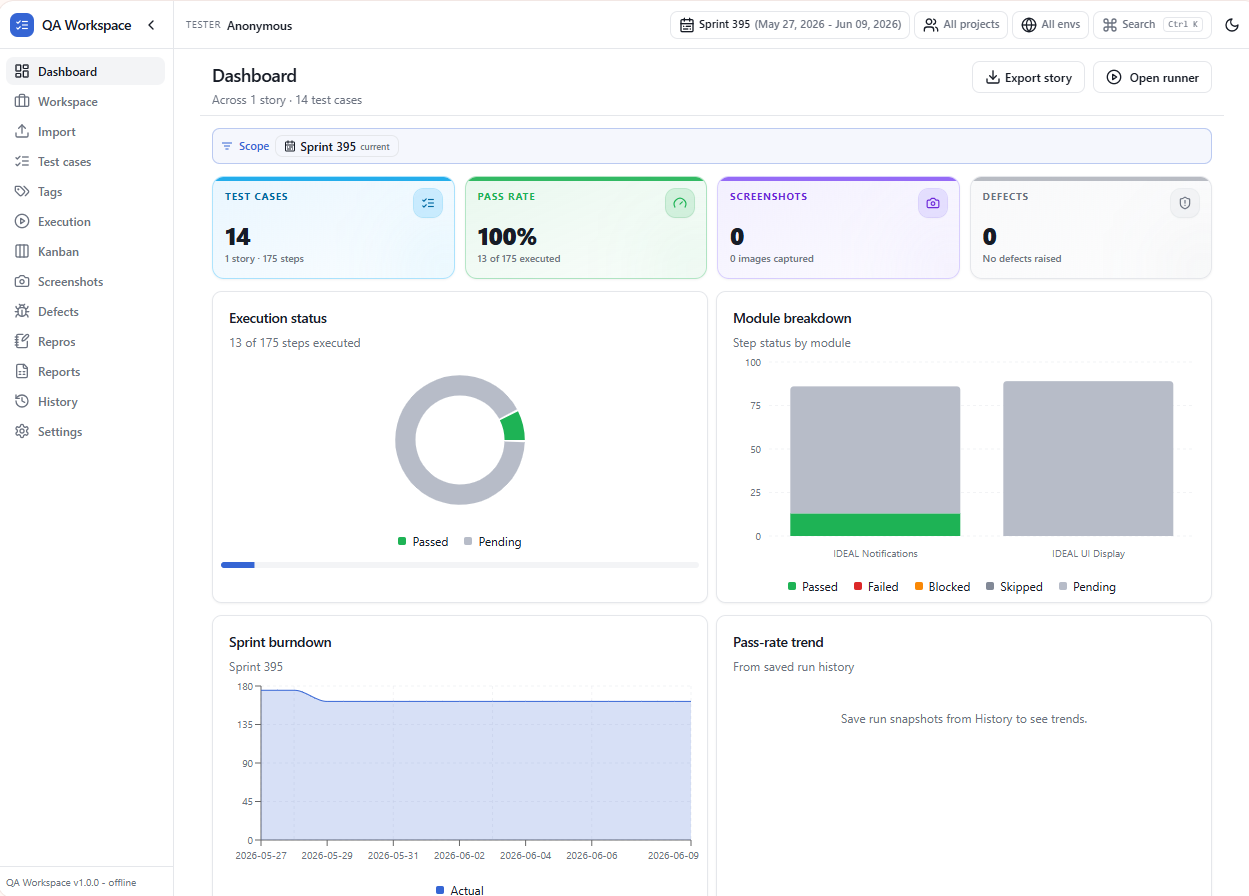
Dashboard
Metrics, pass rate, and module breakdown.
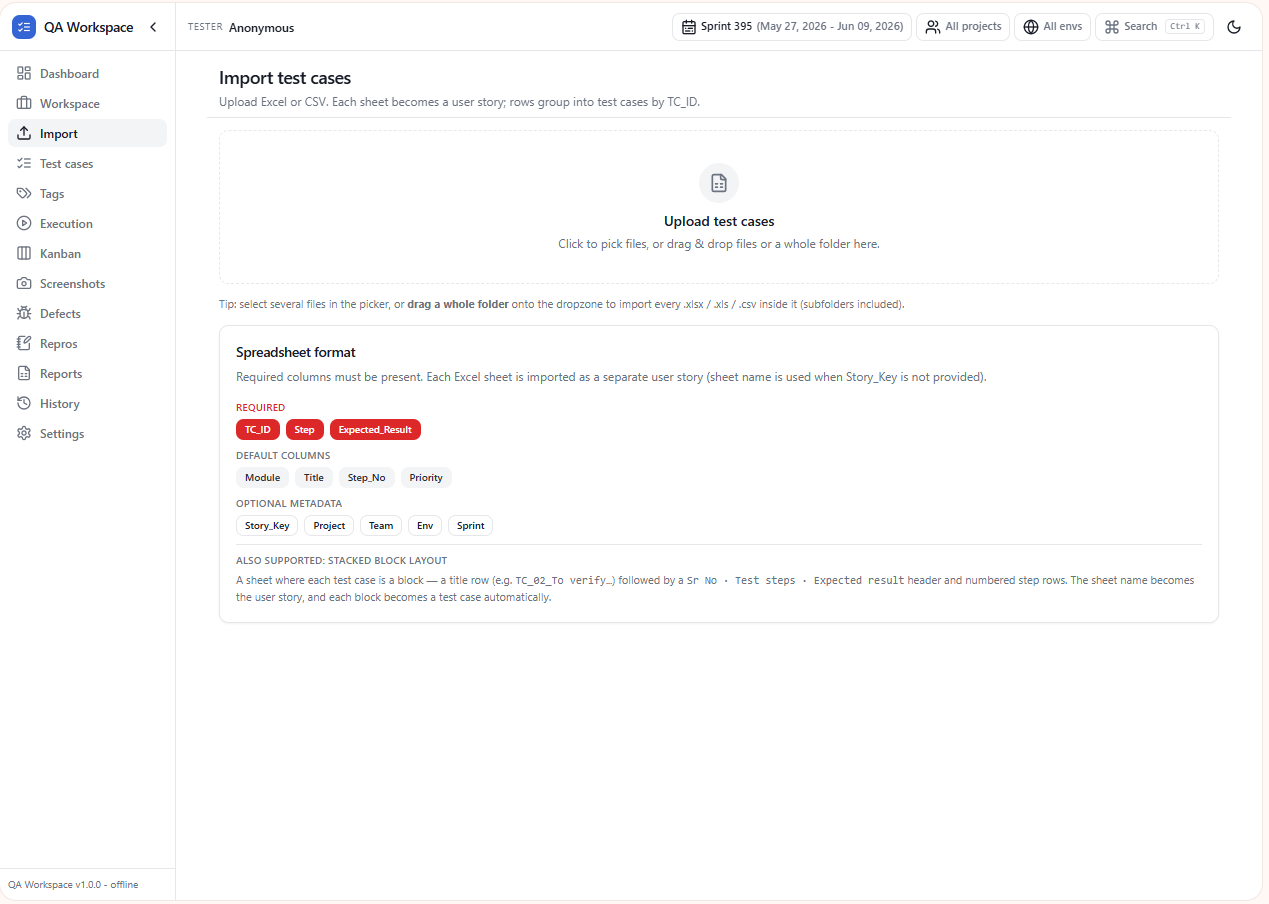
Import
Excel and CSV import with validation preview.
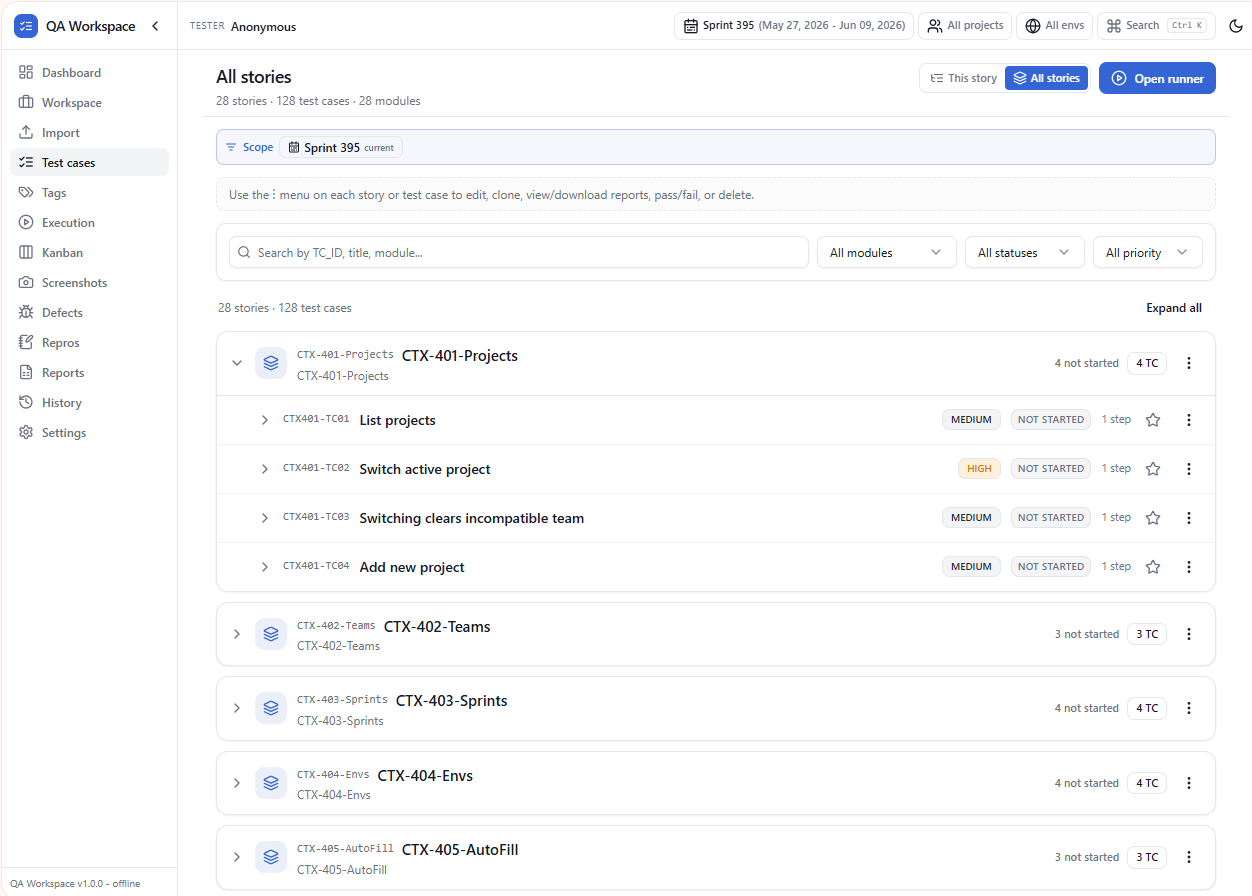
Test cases
Stories, filters, and expandable steps.
Execution runner
Step-by-step execution with timer and shortcuts.
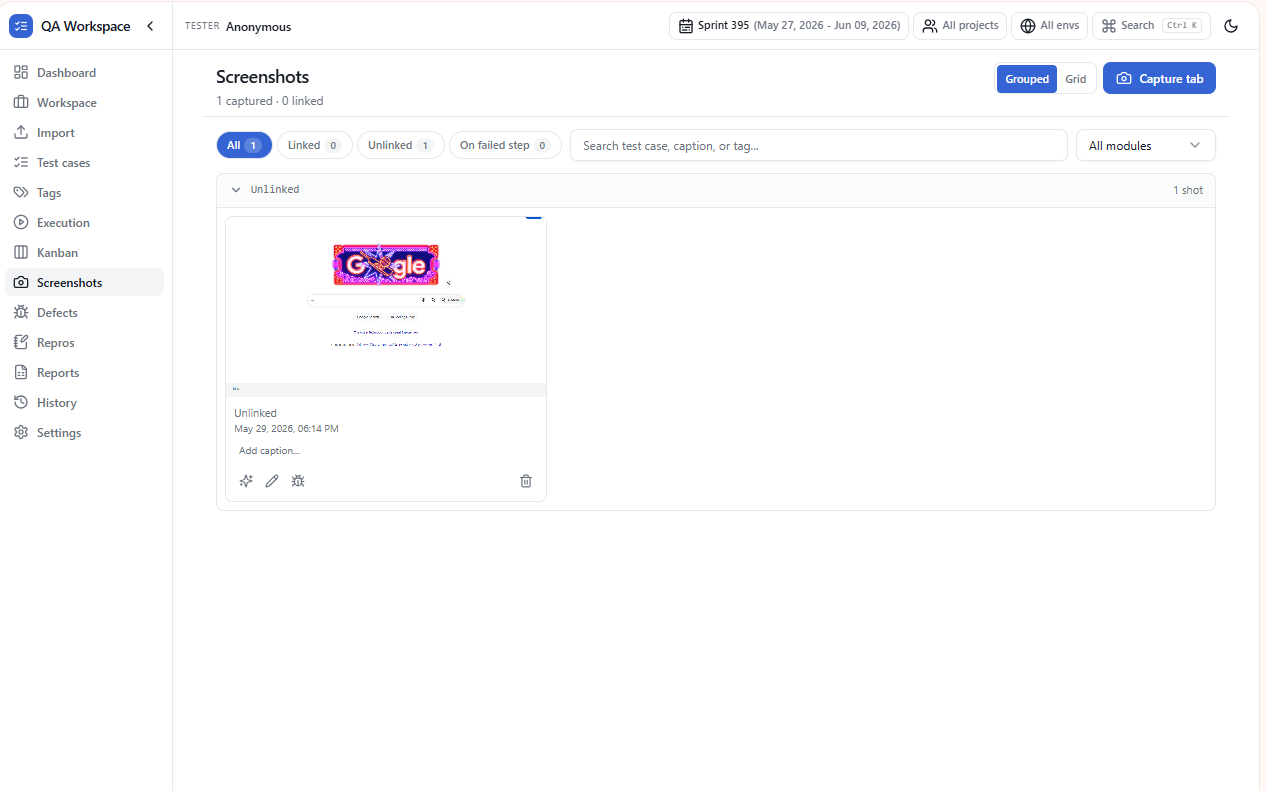
Screenshots
Capture and annotate evidence per step.
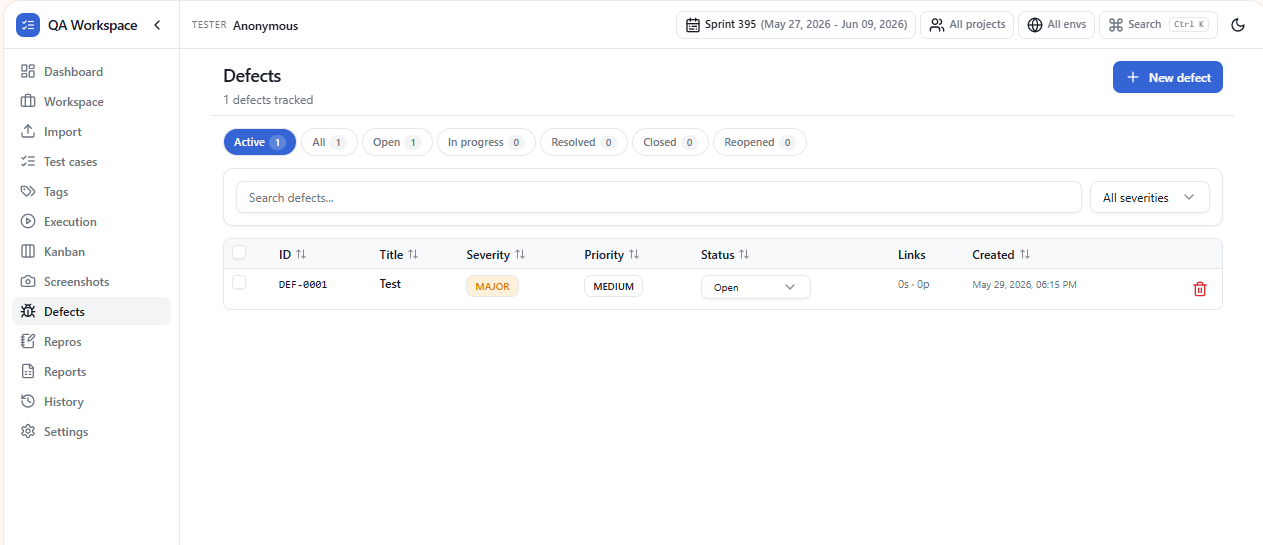
Defects
Track severity, priority, and linked steps.
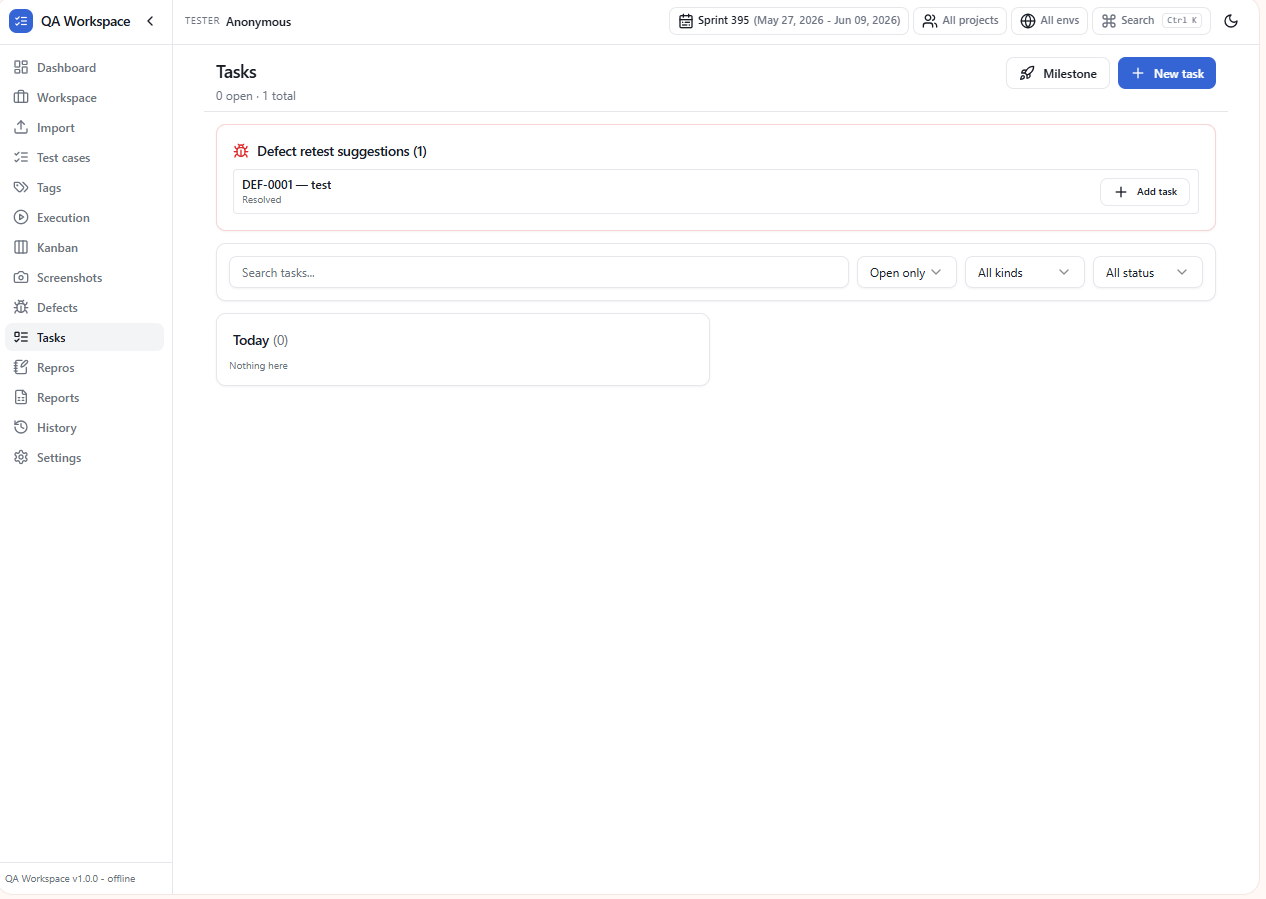
Tasks
Retest suggestions, milestones, and today’s queue.
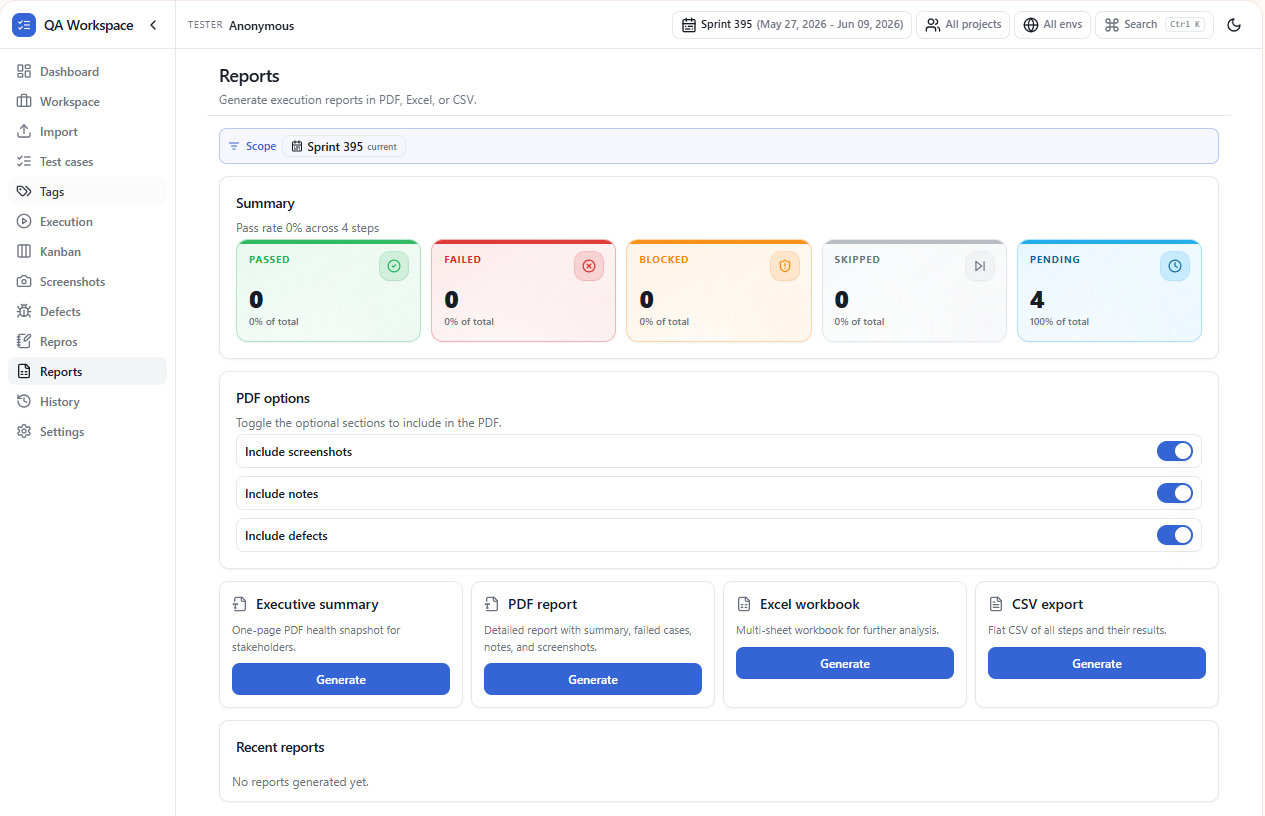
Reports
PDF, Excel, and CSV export.
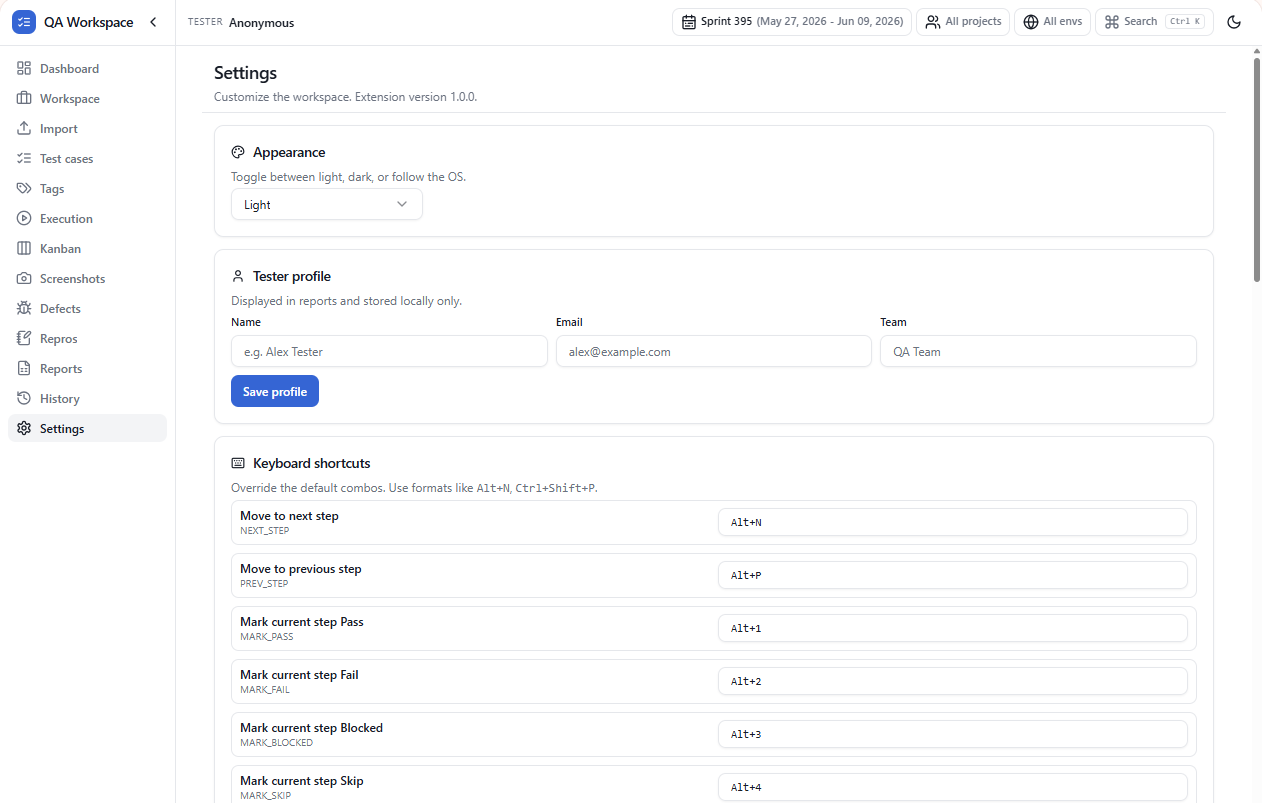
Settings
Theme, profile, shortcuts, and workspace reset.
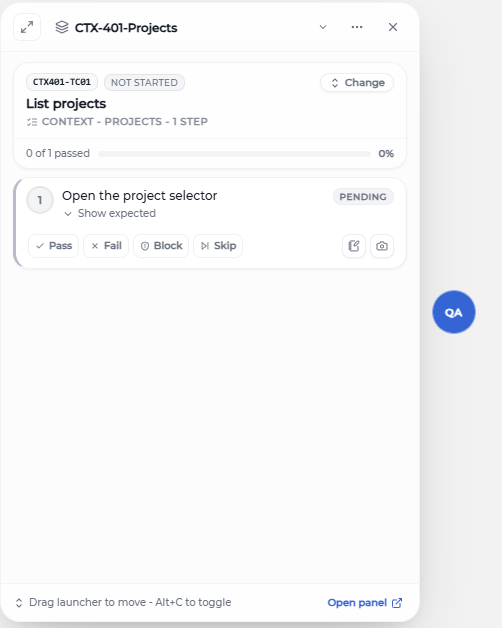
Companion
Floating companion for quick step marking on any page.
Frequently asked questions
Ready to try QA Workspace?
Free manual QA Chrome extension. Offline. No account required.