Capability
Defect tracking
Failing a step opens a defect drawer pre-filled with the test ID, step number, expected result, and the screenshot you just captured. You add severity and a sentence, and you are done.
Captured fields
- Title — auto-suggested from step + expected result.
- Severity — Critical / High / Medium / Low.
- Steps to reproduce — copied from the failing test, editable.
- Expected vs. actual — fills both sides automatically.
- Environment, browser, build — from run metadata.
- Attachments — screenshots and short notes.
Triage view
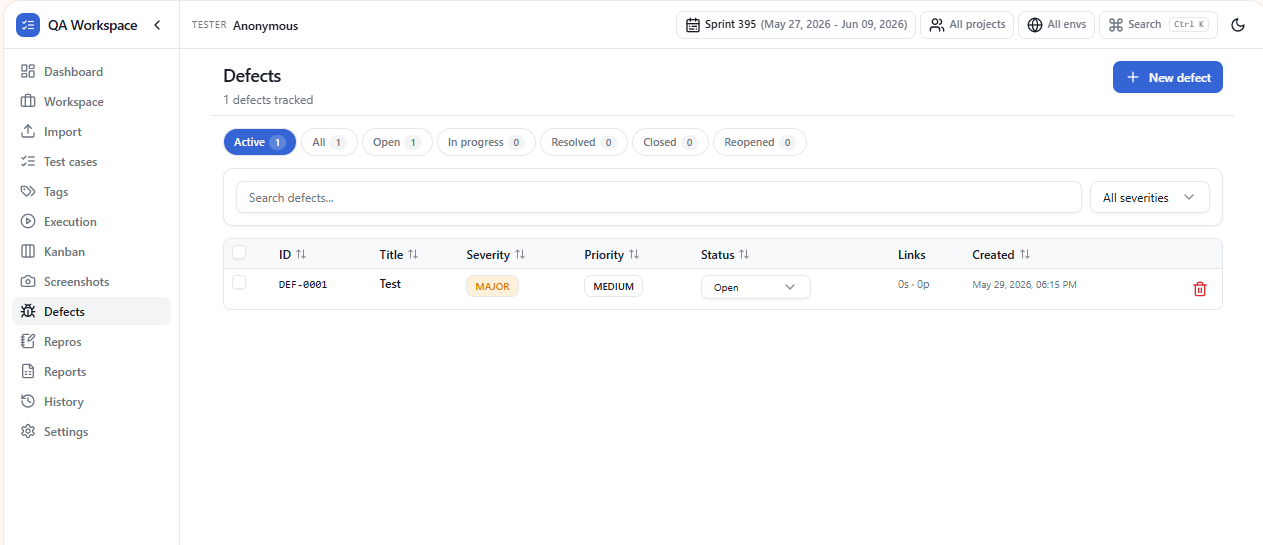
A dedicated Defects tab lists every issue across runs. Filter by severity, status, scenario, or owner. Mark as Open, Fixed, Won't fix, or Duplicate.
Export-ready
Defects flow into the Excel report on their own sheet with column headers that line up with Jira CSV import — Summary, Description, Priority, Environment, Attachments. Paste into your tracker without reformatting.
Linked to evidence
Every defect keeps a hard reference to the run, the case, and the step that produced it. Open the defect later and the original screenshots are still attached.
Local only
Defects live in the same offline storage as everything else. Nothing is shared until you export.
Use cases
Log from a failing step
Mark a step Fail and press Alt+M — the defect form opens pre-linked with steps and screenshots.
Severity vs. priority
Track both independently — useful when leadership prioritizes business risk over technical severity.
Verification loop
Move defects through Open → In progress → Ready to verify → Closed. Tasks suggest re-tests when defects are ready.
Vendor-ready export
PDF and HTML defect reports include the linked steps, screenshots, payload, and environment — no portal access required.
Tips
- Save reusable reproduction recipes in Repros and link them to defects.
- Defect short-IDs travel into report filenames so the saved file is grep-able later.
- Bulk-update status, severity, or assignee from the defect list.