Capability
PDF & Excel reports
One click turns an executed run into a shareable artifact. PDF for stakeholders, Excel for analysts, ZIP for everyone who needs the raw evidence too.
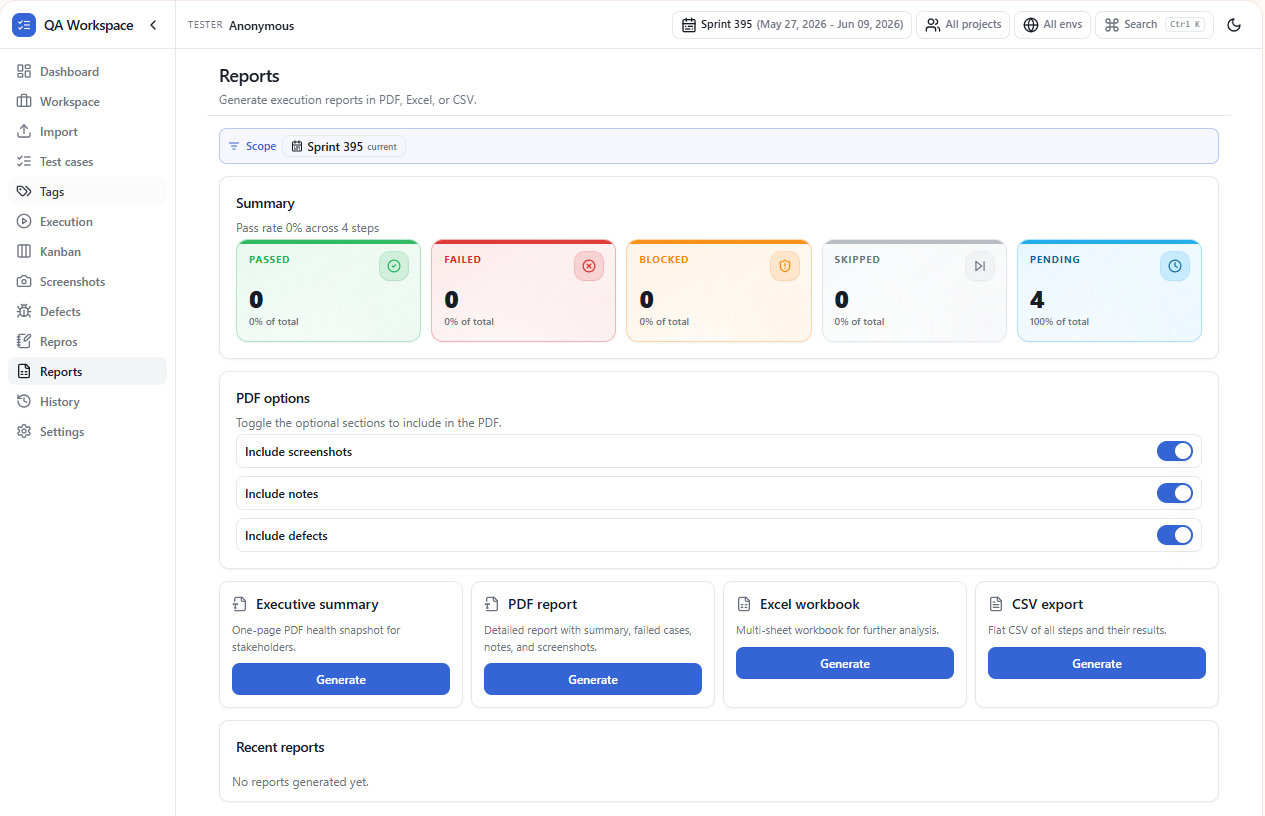
PDF report
- Cover page with run name, environment, date, and tester.
- Pass / fail / blocked summary with a percentage bar.
- Per-test result with steps, expected vs. actual, and inline screenshots.
- Defects appendix with severity, steps to reproduce, and evidence.
Excel workbook
- Summary sheet — totals, pass rate, defect count.
- Cases sheet — every test case with status, duration, comments.
- Steps sheet — flattened step-level results for pivoting.
- Defects sheet — ready to import into Jira or any tracker.
ZIP bundle
Need the originals? The ZIP export contains the PDF, the Excel file, and a
screenshots/ folder with every captured PNG named by test ID and
step number.
Generated locally
Reports are rendered in the browser using the same data you executed against. Nothing leaves the machine, and the file lands in your Downloads folder seconds later.
Branding
Add a project name, environment label, and optional logo from Settings → Reports. The same template is used for every export so handoffs stay consistent.
Use cases
Sprint sign-off
Export a per-story PDF with pass rate, screenshots, and defects — attach it to your release ticket.
Stakeholder summary
PDF cover page shows pass / fail / blocked tiles so leadership reads the headline in 10 seconds.
Audit pack
Excel export carries TC IDs, step status, tester, environment, and timestamps — straight into compliance.
Meaningful file names
Downloads are named with story key, test case ID, sprint, and date — never an opaque UUID.
Tips
- Preview every report (HTML and PDF view) before saving — no surprises in the final file.
- Filter the report by sprint, tag, or test case status to scope it to exactly what matters.
- Defect reports and execution reports are independent — export both as part of a full evidence pack.