Capability
Excel & CSV import
Bring your existing test plans in as-is. QA Workspace reads .xlsx and
.csv files locally in the browser, detects column headers, and turns rows
into runnable test cases — without sending a byte to a server.
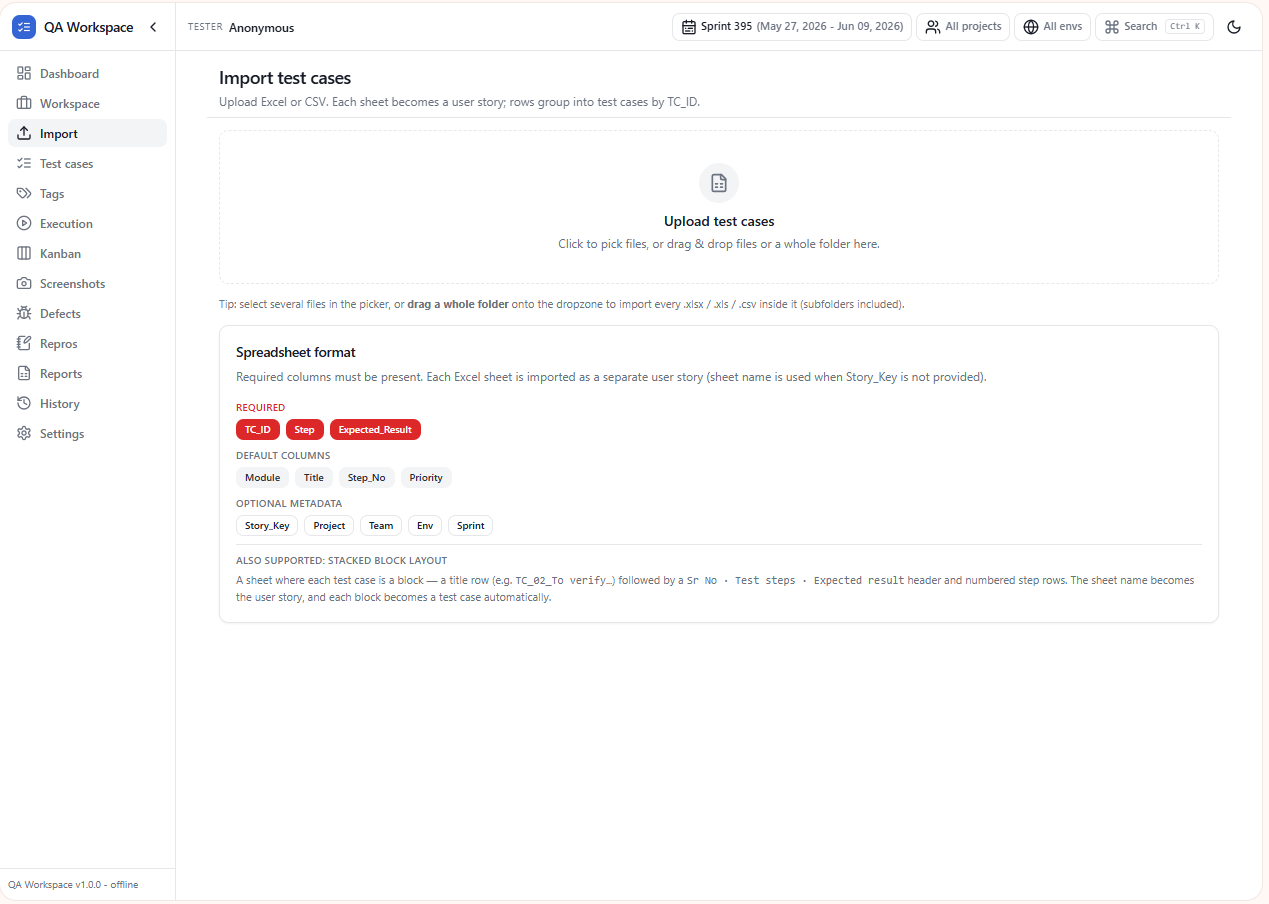
Supported columns
The importer auto-maps common headers and lets you remap anything that does not match.
- Test ID — unique identifier.
- Title / Summary — short description.
- Steps — numbered or newline-separated.
- Expected result — pass condition.
- Scenario / Module — used for grouping.
- Priority, Tags, Owner — optional metadata.
Smart parsing
- Multi-line cells are preserved as separate steps.
- Merged cells in Excel are flattened predictably.
- Quoted commas, BOMs, and Windows line endings in CSV are handled.
- Empty rows and trailing whitespace are skipped silently.
Workflow
- 1. Drop the file into the side panel or pick it from disk.
- 2. Confirm column mapping — the importer suggests the closest match per column.
- 3. Preview & commit — review the first rows and import.
- 4. Run — cases appear in the runner grouped by scenario.
Privacy
Files are parsed in-page using the browser's File API. The extension has no network permission for your test data and never uploads imported rows.
Use cases
Migrate from a sheet
Drop your team's master test sheet in and start running the same day — no schema changes required.
Multi-sheet stories
Each Excel sheet becomes a separate user story — the sheet name doubles as the story key.
Stacked-blocks format
Already write "story title → TC_01 → steps" blocks? The importer detects this layout and parses it cleanly.
Re-import to refresh
Drop the same file again to merge updates — status, screenshots, and defects are preserved.
Tips
- Download the Column layout sample or Stacked blocks sample from the Import page to start from a known-good template.
- Tag columns (
Tags,Sprint) are detected automatically and become filters in the runner. - Sprint numbers in any column header (e.g.
S397) flow into the dashboard sprint filter.