Workflow
How it works
From spreadsheet to execution report in four steps.
- 01
Import test cases
Upload Excel or CSV with TC_ID, Module, Title, steps, and expected results.
- 02
Execute in the side panel
Run through steps, mark Pass / Fail / Blocked / Skip, and add notes as you test.
- 03
Capture evidence
Attach screenshots from the active tab and log defects linked to steps.
- 04
Export reports
Generate PDF, Excel, or CSV execution reports for stakeholders.
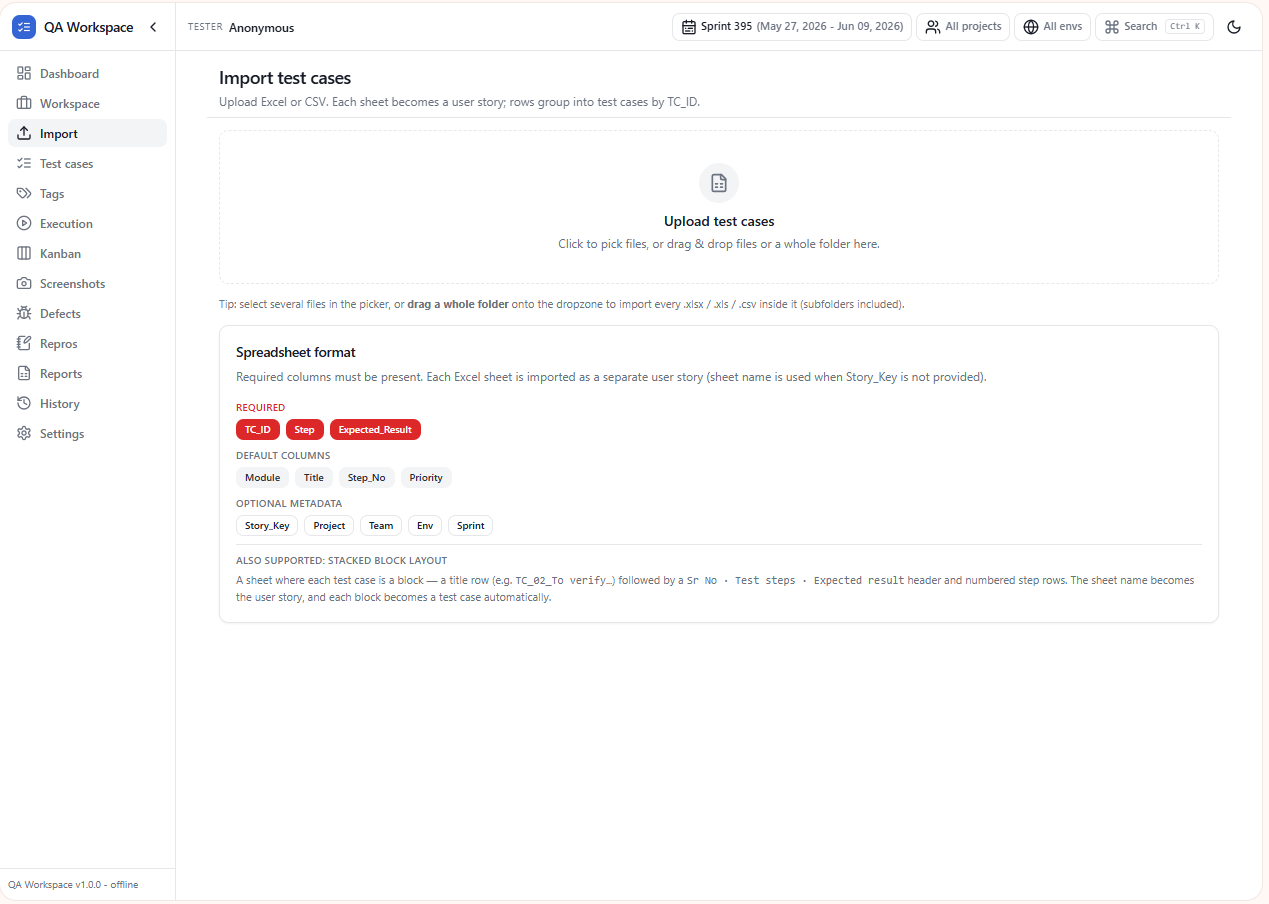
Import
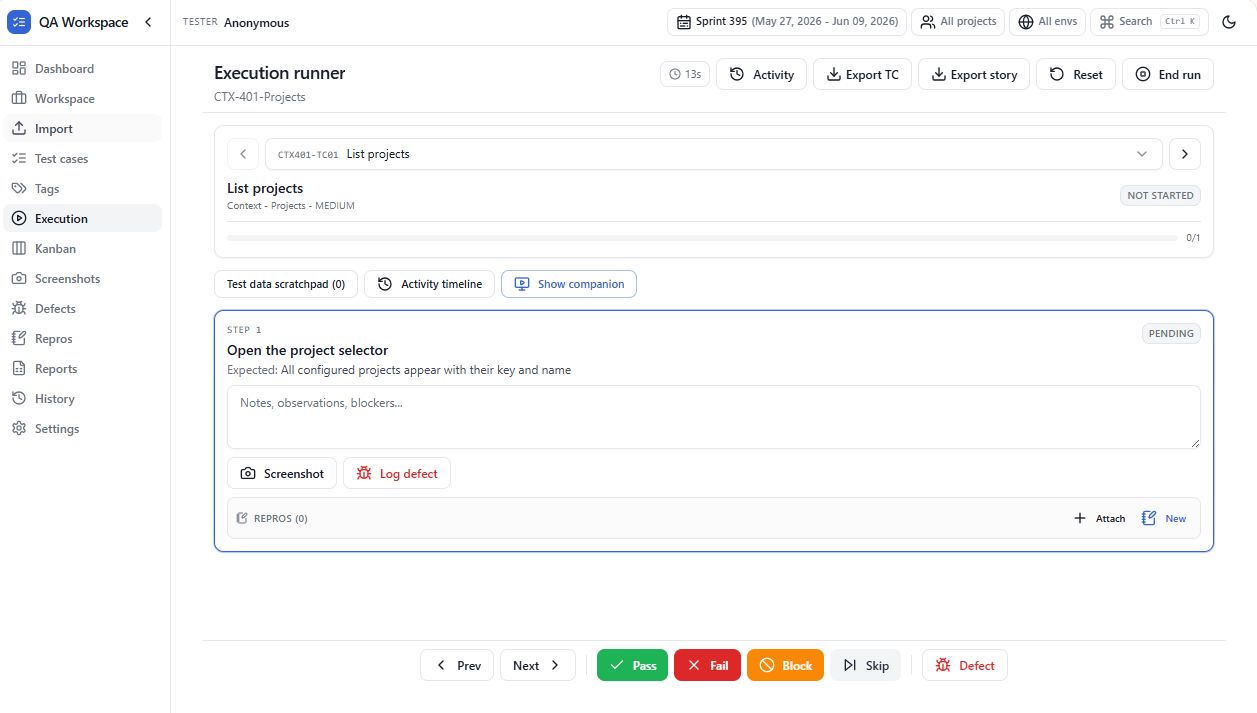
Runner